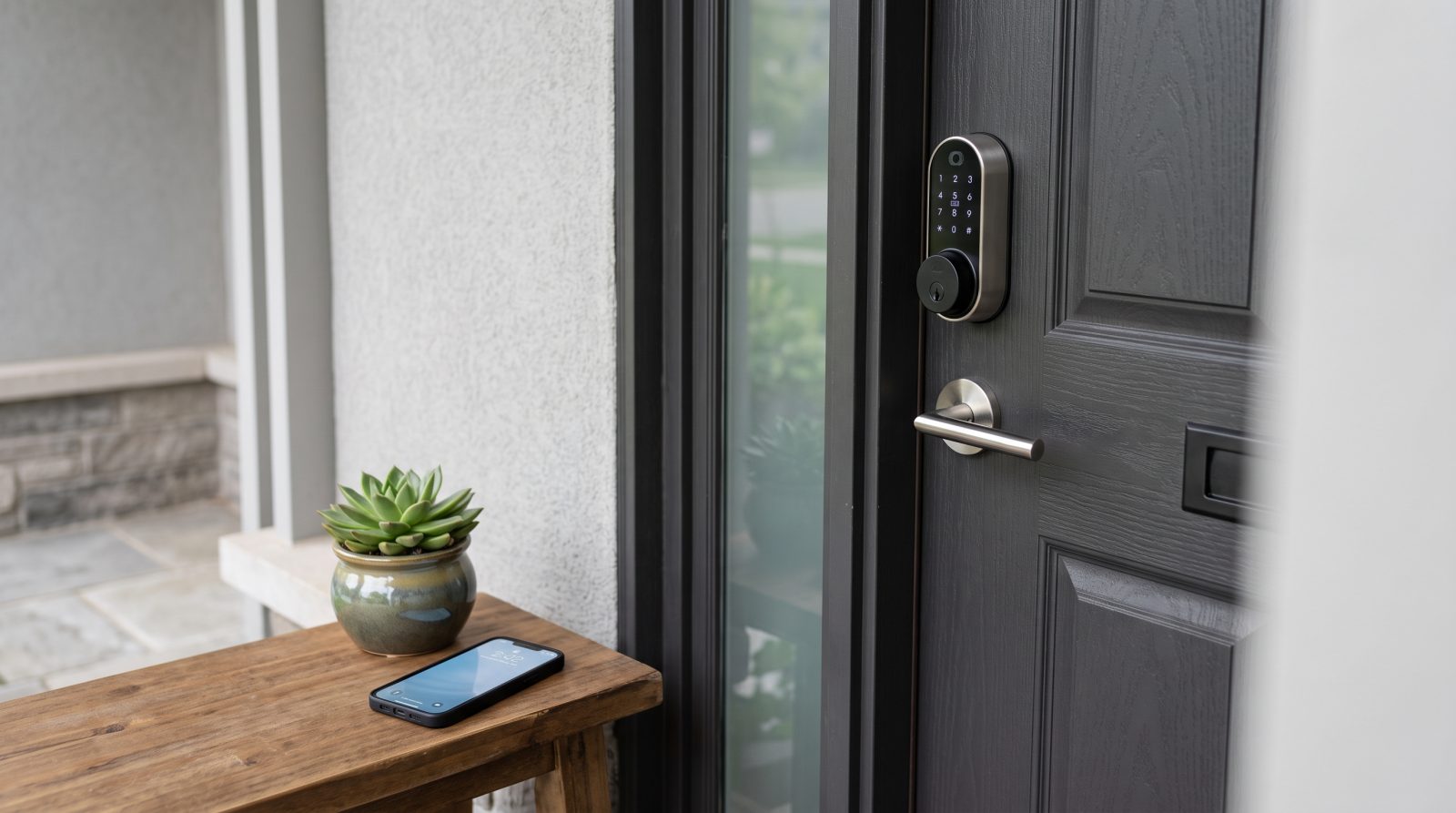
What does smart lock installation actually involve?
A smart lock is an electronic locking device that unlocks through one or more credentials instead of (or in addition to) a metal key: a numeric keypad code, a Bluetooth or Wi-Fi smartphone app, a fingerprint reader, an RFID fob or card, or an automated trigger from a smart-home system. Most residential smart locks are deadbolts, though smart levers and mortise-style units exist for specific doors. The lock still has a mechanical bolt that physically secures the door; the 'smart' part is how that bolt is told to open and close.
A clean installation is mostly about fit and alignment. The installer first confirms the lock matches your door: the backset (distance from the door edge to the center of the bore hole, commonly 2-3/8 inch or 2-3/4 inch), the bore hole diameter, the door thickness, and whether your existing strike plate and frame let the bolt extend fully. A bolt that drags or only partly throws is the most common cause of a smart lock that jams, grinds, or drains batteries quickly.
Once the hardware is mounted, setup begins: creating the administrator account, adding user codes or app users, calibrating the auto-lock and motorized bolt where applicable, and testing the lock through several full cycles with the door both open and closed. Finally, the installer sets up backup access so a dead battery never becomes a lockout, and shows you how to add, change, and delete access yourself.
- Confirm fit: backset, bore diameter, door thickness, and strike alignment
- Mount the lock and verify the bolt throws fully and smoothly
- Program the admin account, user codes, and app or hub users
- Test multiple lock/unlock cycles with the door open and closed
- Set up backup access (physical key, backup battery terminal, or both)
Which smart lock types and credentials should you choose?
Smart locks differ mainly in how they connect and how you open them, and those choices affect convenience, security, and ongoing maintenance. There is no single right lock for everyone; the one that suits you depends on your door, your household, and whether you want the lock linked to a phone or kept entirely offline.
On connectivity, Bluetooth locks pair directly with a nearby phone and use very little power, but you generally have to be close to the door to control them. Wi-Fi locks (or a Bluetooth lock paired with a bridge) let you lock, unlock, and check status from anywhere and send guest codes remotely, at the cost of higher battery use and a dependence on your home network. A growing number of locks support Matter, an industry interoperability standard, which lets one lock work across multiple smart-home platforms rather than locking you into a single app.
On credentials, keypad codes are simple and require no phone; app control adds remote access and activity logs; fingerprint readers offer fast keyless entry for frequent users; and many locks combine several methods. A practical, security-minded approach is to pick a reputable lock that meets a recognized security grade, supports the credentials your household will actually use, and lets you change or delete access at any time.
- Bluetooth: low power, proximity-based control, simpler setup
- Wi-Fi or bridge: remote control, remote guest codes, higher battery use
- Matter-compatible: works across multiple smart-home platforms
- Keypad codes: phone-free entry and easy temporary access
- Fingerprint and fob: fast keyless entry for regular users
Can a smart lock be integrated with my smart home?
Yes, in most cases. Many smart locks integrate with major smart-home ecosystems so you can control them by voice, include them in routines (for example, locking up automatically at bedtime), and see lock status alongside your other devices. Integration usually happens in one of two ways: directly over Wi-Fi or Matter, or through a hub or bridge that translates between the lock and your platform.
Voice control is a common request. With most ecosystems you can ask an assistant to lock the door or confirm whether it is locked; for security reasons, many platforms allow voice locking freely but require a spoken PIN or disable voice unlocking by default. Geofencing and auto-lock features can lock the door when everyone leaves and unlock as you arrive, though these depend on phone location accuracy and are worth testing before you rely on them.
Integration is also where backup planning matters most. Smart-home features run on software, networks, and batteries, all of which can fail. A well-integrated install keeps a dependable manual fallback in place, whether that is a physical key, a standalone keypad code that works without the network, or an emergency power terminal, so a connectivity hiccup never leaves you standing outside.
- Voice control to lock and check status (unlock is often PIN-gated)
- Routines and schedules, such as auto-lock at a set time
- Geofencing to lock when you leave and unlock as you return
- Status notifications and access history in your smart-home app
- A network-independent backup so software issues never cause a lockout
When is a locksmith worth it versus DIY?
Plenty of smart locks are designed for homeowner installation, and if your door is standard, your existing deadbolt fits the new lock, and you are comfortable with hand tools and app setup, a DIY install can go smoothly. The lock typically swaps onto the existing prep, and the manufacturer's app walks you through programming.
A professional is worth considering when the situation is not standard: a door with an unusual thickness or backset, a misaligned bolt or strike that needs adjustment, a metal or fire-rated door, an older mortise lock, a commercial door with a closer or panic hardware, or a project where you want several doors keyed and configured consistently. Installers run into these every day and can spot why a bolt drags or a lock fails to seat before it becomes a recurring headache.
It is also reasonable to bring in a pro purely for peace of mind, especially on an exterior entry door where you want the fit, alignment, and backup access done right the first time. Locksmith Near Me can connect you with local help if you would rather not tackle the install yourself or have already hit a snag.
- DIY-friendly: standard door, compatible existing deadbolt, simple app setup
- Call a pro: nonstandard backset or thickness, misaligned bolt or strike
- Call a pro: metal, fire-rated, mortise, or commercial doors
- Call a pro: multiple doors to configure consistently or an existing problem to diagnose
How much does smart lock installation cost?
Cost depends on the lock you choose and the work your door needs, so the figures below are typical industry ranges meant as estimates, not a quote. The two biggest factors are the hardware itself and whether the door requires any prep beyond a straightforward swap.
Consumer smart locks commonly range from roughly $100 to $300 or more, with higher prices for models that add Wi-Fi, fingerprint readers, Matter support, or premium finishes. Professional installation labor is usually a separate, modest cost for a standard deadbolt swap, and it rises when the door needs drilling for a new bore, strike or frame adjustment, mortise work, or installation on a metal or commercial door. Configuring several doors at once, or adding a bridge or hub, can also affect the total.
Whatever the project, ask for a clear, itemized price range before any work begins, covering the hardware, the labor, and anything extra the door might need, so there are no surprises. To get an estimate matched to your specific door and lock, request a free quote and describe your door type and the smart lock you have in mind.
- Hardware: roughly $100-$300+ depending on features (Wi-Fi, fingerprint, Matter)
- Standard install: a modest, separate labor cost for a direct deadbolt swap
- Add-ons that raise cost: new bore drilling, strike or frame adjustment, mortise or metal doors
- Always get an itemized estimate covering hardware, labor, and any door prep
How do you keep a smart lock secure and reliable over time?
A smart lock is most secure when it is set up thoughtfully and maintained, not just installed and forgotten. Because access is digital, you control who can get in by managing credentials rather than swapping physical keys, which is convenient but only as strong as your habits around it.
Use a unique administrator code or password and avoid obvious keypad codes like repeated or sequential digits. Give guests, cleaners, or contractors their own temporary codes you can delete when the job is done, rather than sharing your main code. Keep the lock's firmware and companion app updated, since manufacturers release updates that can address security and reliability. If you ever part ways with someone who had access, remove their code or app account promptly, the digital equivalent of changing a key.
Reliability comes down to power and alignment. Most smart locks run on replaceable batteries and warn you before they die; replace them when prompted and keep your chosen backup access (a physical key, a network-independent code, or an emergency power terminal) ready. Periodically confirm the bolt still throws cleanly, since a door that has shifted with the seasons can strain the motor and shorten battery life. We will never describe how to bypass a lock or defeat security; the goal here is to help you run your own lock safely.
- Set a unique admin code and avoid easily guessed keypad combinations
- Issue and delete temporary codes for guests and service providers
- Keep firmware and the app updated; remove access you no longer want
- Replace batteries when prompted and keep backup access ready
- Recheck bolt alignment periodically so the lock runs smoothly